Subscribe For Free Updates!

We'll not spam mate! We promise.

Showing posts with label software. Show all posts

Wednesday, 30 October 2019

Hello World ! Check Tips For This Blog

Hello World

Thanks For Visiting This Unique Blog

We Will Provide All Kind Of Leaks

If You Find Any Link Broken

Please Use Comments Box

Download Link Compressed With Shorten Url


You Just Wait 5 Sec Then Press Skip Ad Button

To Get Download Link ( Like Below Picture )


If You Want We Still Provide You Good Stuff

Follow Us And Donate Us

Via Click Of Short URL

Thanks In Advance

Tuesday, 29 September 2015

How To Use Jingling Full Tutorial With Picture

Today I Will Share A Tutorial About Jingling !
Many People Want To Know How To Use Jingling ! 
So Here Is Your Tutorial 
Download The Jingling If You Have Not 
Unzip password: 123456

So, when you launch it, you have this :
[​IMG]

Let's go, one button after another.

1/ The first and main tab. You'll use this one pretty much all the time.
2/ 2nd tab, it's point is to add link with more precise control, there you can specify a daily flow amount, that kind of things. Not really useful.
3/ 3rd tab : Involving QQ. If you ever need this, you probably can understand chinese, and you're not reading this guide.
4/ The number of sites you can add. Based on your computer's performance. Goes between 1 and 6.
5/ The are where you'll be able to manage your links. More on that later.
6/ That button is used to add a new link into Jingling. The 2nd button next to it is to add a link with more control over flow. 2nd one is pretty useless for us aswell.
7/ Random informations. You don't care about this at all.

Okay. Now this should be a little more clear. Now let's talk about adding a link, and change its settings.

To add a link, you click on the button marked "6" on the previous screenshot, you past your link in, and press the OK button (it's the one on the left.).
Your site should now show up in the 5th panel.

Let's see what we got here.

[​IMG]


1/ Edit your link button. Pretty simple.
2/ Amout of view your site got. Resets every day. Not 100% accurate.
3/ State of your link. Basically, green is good, red is bad.
4/ Use this to put a link on pause. It'll ask for a confirmation. Just press it again afterwards to restart it.
5/ Delete your link. Simple aswell.
6/ Control flow based on time. This will open a window with a panel divided into 24 hours, and you'll be able to limit traffic based on hours of they day. Not that useful for most users. However, if you have to use it, it's pretty straigh forward. The buttons in the bottom are, from left to right : Save, Default, Reset, Cancel.
7/ Traffic origin configuration. Now that's a useful tab. Allows you to get traffic worldwide, from China only, or everywhere except China. More on that later too [​IMG]
8/ Advanced configuration. That'll be explained aswell.


Traffic origin

To access that, clic on the button 7 on the main tab. Here's what you get :


[​IMG]


1/ Worldwide traffic.
2/ Both of them are Chinese only traffic.
3/ Western traffic only. This will what you'll use mostly.
4/ Custom traffic. Allow you to customize traffic, chinese regions only, so not users here.

So, if you wanna set Jingling to western traffic only, you just have to tick box 3, and save. The four buttons are, from left to right : Save, Default, Reset, Cancel.


Link configuration

Now that the source of your traffic is configured, let's see what we got in advanced configuration. To access it, press button marked 8 on main tab.


[​IMG]


Alright. Now it gets funny.
1/ IP:PV ratio : Number of subpages an IP will visit. 1:1 means it will only acces the link, and exit. 1:2 means it'll go the the link, find a subpage and clic on it. 1:3 means it will go on main link, find a subpage, clic, find a sub-subpage, and clic.
2/ That will configure the behavior of your links : The first box will behave with the IP:PV ratio, clicking on random links on the page. The 2nd one will reload the page only. The 3rd one will access a subpage, then open the original link again. The 4th will search for a matching subpage : you can enter what you want in the textbox, the bot will search for it, and access it if it can find it.
3/ Enable or disable popup. Enable it if you site has popups in it. If you're not sure, I'll talk about the Jingling link testing tool later on. If you have popups, you want to set it a 20%.
4/ That's the destination configuration. Used to redirect traffic after a page load. You can add up to 5 links here, and configure a % for each link.
5/ That's the referer. You can change the referer URL here. Add up to 20 links, and chose it's %. For instance, if you set 50% on twitter.com and 50% on facebook.com, you're going to have half of your traffic coming from each of these sites.


With this, you should be able to do whatever you want with Jingling. But to configure it well, you need to know how your links will behave in Jingling's software. And there's a way to know exactly that.


I/ The Jingling Traffic Wizard testing tool


Not a lot of people know this, but the Jingling author released a little know to help you configure your links.
Download link.

Now, the principe is pretty simple. You start it, you past your link address in the bar, and you see how it load. You can check if popups are showing, and using the little menu, you can do some cool stuff :


This image has been resized. Click this bar to view the full image. The original image is sized 662x290.[​IMG]


1/ This is used to test the automatic subpage access. Related to the first box of #2 in advanced configuration.
2/ Click on a link with specific text. See #2 4th box in advanced configuration.
3/ Reload the page test. See #2 2nd box in advanced configuration.
4/ Start the test button. Use it to start whatever test you just selected.
5/ This whole box is used to test the destination configuration. See #4 in advanced configuration.

Use this tool to play around, see what's your link behaviour, and configure it properly in Jingling afterwards.


III/ Exploit Jingling


So, depending on your configuration, you can add a different number of links in Jingling. But this can be exploited.

Before going any further, note that you can only have 6 links per IP. More than that, and they won't get into the system.

-You can run more than one Jingling using Sandboxie, allowing you to get 6 links running on one computer.

To get more than 6 links, you're going to need more computers. Or a virtual machine.
If you have a second computer lying around, find yourself a VPN, run it on that computer, and launch more Jingling on that.
Same goes with a virtual machine.

Need More Help ! Use Comments Box

Saturday, 1 August 2015

COOLWAREMAX Video2Webcam 3.XX Full Version


 COOLWAREMAX Video2Webcam 3.XX Full Version
 
Video2Webcam - Show video clips during video chat even without a real webcam.
  
Sales Page 


Price = 29.95


Download Trail Version From Official Site And Run Patch

Enjoy Full Version...

Download Patch From Here


Need Help Use Comments Box

Thursday, 30 July 2015

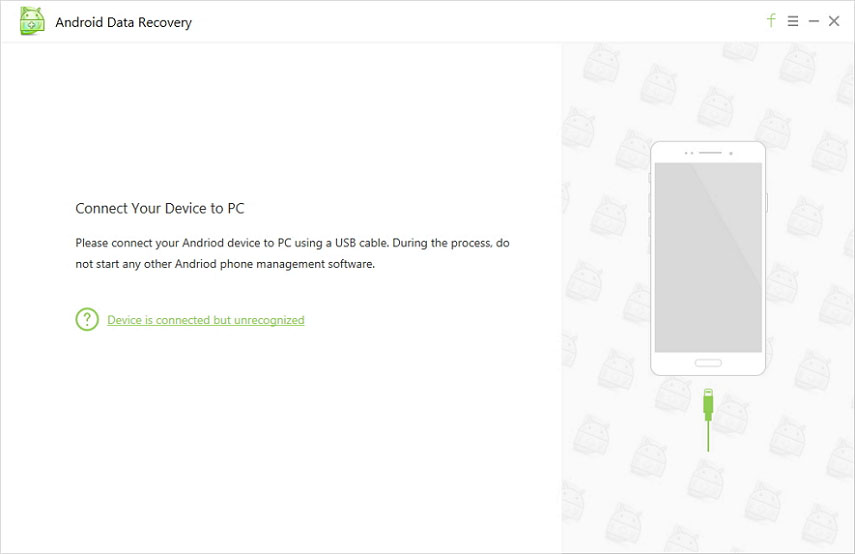
Android Data Recovery Pro 4.xx Full Cracked By AoreTeam

Android Data Recovery Pro 4.xx Full Cracked

Sales Page !


Price : 39.95


 No Need To Buy Get Full Version Free


Download Free Trail From Official Site Here

 Download Patch Here

If Above Link Not Work 
Then Use Below Alternative Link
Download Patch Here

Wednesday, 27 May 2015

Internet Download Manager Version 6.23 Build Full Version


Internet Download Manager Version 6.23 Build Full Version

http://picplus.ru/img/1504/03/143a3a1e.jpg
Scan Report:


What's new in version 6.23 Build 12?


- Added support for Firefox 39

- Improved video downloading for several types of web sites

- Fixed bugs

Intruction:

1.Turn off your antivirus while use patch
2. USe Given Patch (Run as admin)


Saturday, 7 March 2015

Internet Download Manager 6.23 Build 2 Full Version


Internet Download Manager (IDM) is a tool to increase download speeds by up to 5 times, resume and schedule downloads. Comprehensive error recovery and resume capability will restart broken or interrupted downloads due to lost connections, network problems, computer shutdowns, or unexpected power outages. Simple graphic user interface makes IDM user friendly and easy to use.

For Full Info Visit internetdownloadmanager.com 

 Proof


What's New in version 6.23 Build 2 Final:

(Released: Feb 24, 2015)

Added support for Firefox 37

 
Download 


Instructions
1. Install the program
2. After installation, 

Make sure to EXIT/CLOSE IDM from icon tray.
3. Copy & Paste "IDMan.exe" & "IDMGrHlp.exe"

 from 'Crack' folder to the default install directory
4. Open/Merge "RegKey.reg

file from 'RegKey' folder
5. Done, Enjoy

Need Help Use Comments Box
 

Sunday, 22 February 2015

VMware Workstation.v11.1.0.Incl.Keymaker

Sales Page !


No Need To Buy Just Press
Skip Ad Button
And Get Full Version Free 
From Below Link

  VMware.Workstation.v11.1.0.Incl.Keymaker-EMBRACE 

     Part 1  Part 2        


VMware.Workstation.v11.1.0.Linux.x64.Incl.Keymaker-EMBRACE 

  Part 1  Part 2 


Tuesday, 6 January 2015

TeamViewer 10 Full Version


Download Both Files 
1st Install Setup 
2nd Open Patch
And Click On Patch Button
You Done
Your License Is Ready
 Watch Video If You Still 
Don't Understand


Setup 


Patch


Need Help Use Comments Box

Thanks

Sunday, 28 December 2014

Email Sender Deluxe 2.35 With Key Full Version


Sales Page !


Price = 49.95 $

The perfect tool for email marketing and newsletters!

With Email Sender Deluxe, sending out personalized bulk email and newsletters to your customers and clients just got a whole lot easier! Simply choose your recipients, write your email and hit Send! You can easily import recipients from databases, Excel, text files or enter them manually.

You can store email templates, so you don't have to type the whole newsletter again the next time you send one.

Email Sender Deluxe allows you to easily preview each email before it is sent to the recipients, letting you see the email they see. Attaching files to the emails is easy as well. This bulk email sender software also allows you to send to an unlimited number of recipients. And it's fast! This mass mailer utilizes multiple sending connections, maximizing the speed.

If you send out newsletters regularly, need to notify your customers about new products and services, or just need a great email software, Email Sender Deluxe is here to help you!

Features

  • Send emails quickly and easily! Each recipient will get their own email, and won't see who else the email is sent to.
  • Send personalized emails! You can insert recipient fields such as "First Name" or "Country" into your email.
  • Easily import recipients from text files, CSV files and Excel spreadsheets.
  • Supports import recipients from ODBC databases like Oracle, SQL Server, Access and MySQL.
  • Supports sending email using SMTP server, DNS Send, Pickup Service and Amazon Simple Email Service (Amazon SES).
  • Use the powerful WYSIWYG editor to easily create your HTML emails.
  • Setup pausing to accommodate the email sending to your SMTP server's limits.
  • Send email using multiple connections, maximizing the speed.
  • Preview all emails before they are sent.
  • Affordable! Email Sender Deluxe is a one-time purchase of just US $49.95. There are no subscription or yearly fees.


1st You Need To Download Tool From Official Site 


No Need To Use Crack 
Just Put Key And Get Full Version


Friday, 19 December 2014

Photoshop CC Crack (2014)

Here's the Crack for Photoshop CC (2014)
Remember to download the Creative Cloud from


Then once you've done that 
And installed it , 
find Photoshop CC click install.
Then apply the crack


Visual Studio Professional with Update 2


Visual Studio Professional 2013 with Update 2
Language: English
Version: 32 bit- Web Installer
Order Number:100300024148

Key:

KCQWK-Q43V3-M3F2T-83VGV-Y6VTX


Saturday, 13 December 2014

[10$] Power Magic Guru Squeeze Creator

Sales Page !

"Brand New Software Allows Anyone To Create Stunning Squeeze Pages Like Those The Gurus Are Using, In Just A Few Clicks And A Few Minutes..."

Fill in the Blanks, Push a Button & Out Pops
A Fully Featured Ready-To-Go Squeeze Page...


 System Requirements:
- Microsoft Windows XP SP2 or Better, Vista, 7 or 8
(Sorry, NOT for Mac Users)
- 1024x768 or Larger Computer Screen
- Decent Internet Connection


 For Rar Password 

 Write Your Email In Comments !
We Will Send It As Soon As Possible


Get Free Traffic PopAds.net - The Best Popunder Adnetwork